
AKeeping Wi-Fi running during power outages in an apartment is a common challenge for remote workers and apartment residents. practical guide for apartments, remote work, and short-to-medium outages
In most apartments, a power outage instantly cuts off internet access — not because the connection itself is unreliable, but because the equipment that keeps Wi-Fi running depends entirely on electricity. Even short blackouts can disconnect routers, modems, and fiber units within seconds, interrupting work calls, cloud access, and essential online services.
For remote workers and apartment residents, maintaining Wi-Fi during power outages is less about large generators and more about understanding what actually needs power, how much power it uses, and which backup options make sense in limited living spaces. Many people overestimate the complexity of the problem — while others underestimate it and lose connectivity when they need it most.
This guide explains why Wi-Fi fails during outages, which components must stay powered, and the most practical ways to keep your internet running in an apartment, without unnecessary expense or overengineered solutions.
Why Wi-Fi Stops Working During Power Outages
When the electricity goes out, Wi-Fi stops working not because the internet service itself disappears, but because the equipment that delivers it inside your apartment immediately loses power. Your router, modem, or fiber ONT all rely on continuous electricity to function, and without it, they shut down within seconds.
This is why Wi-Fi outages in apartments are fundamentally a power issue, not an internet service issue — a distinction that becomes clearer when understanding how backup power solutions work in residential environments.
Even if you are using a laptop or phone with a charged battery, those devices still depend on powered networking hardware to reach the internet. In most apartment buildings, the internet signal from your ISP may remain active outside the building, but the final connection inside your home is broken as soon as your networking devices turn off.
In some cases, the type of internet connection matters. Fiber connections often rely on an ONT installed inside the apartment, which must stay powered for Wi-Fi to work. Cable and DSL connections also require powered modems. This means that keeping Wi-Fi running during a power outage is primarily a power problem, not an internet problem — and once the right components stay powered, connectivity can continue normally.
The hidden dependency: modem, router, and ISP infrastructure
Wi-Fi connectivity in an apartment depends on a small chain of powered devices working together. Inside the apartment, the router distributes the wireless signal, while the modem or fiber ONT acts as the gateway between your home and your internet service provider. If any one of these devices loses power, the entire connection stops, even if the others remain on.
Beyond your apartment, there is also a partial dependency on your ISP’s infrastructure. Many providers maintain backup power at street cabinets or central offices, which allows the external network to stay online during short outages. However, this backup does not extend into your apartment. Once your modem or router turns off, your connection is effectively cut at the last step.
This is why Wi-Fi failure during power outages often feels sudden and complete. The internet may still exist outside your building, but without powered local equipment to receive and distribute it, your apartment becomes isolated from the network.
This dependency becomes clearer when understanding how home internet equipment works, and how local networking devices act as the final link between apartments and internet service providers.
Why laptops still work but the internet doesn’t
During a power outage, laptops and smartphones often continue working normally because they have internal batteries. This creates the impression that the internet should still be available — but in reality, these devices are only one part of the connection chain.
Internet access inside an apartment depends on external networking equipment that does not have built-in batteries. Your laptop may be fully powered, but it still needs a functioning router and modem (or fiber ONT) to communicate with your internet service provider. Once those devices lose power, your laptop has no path to reach the internet, even though it is technically “on” and operational.
This disconnect is one of the most common sources of confusion during outages. The issue is not the device you are using, nor your ISP account, but the loss of power to the networking hardware that bridges your apartment to the outside network. As long as that bridge is restored — even with very low power — your internet connection can resume immediately.
Fiber vs DSL vs cable: does the connection type matter
The type of internet connection in your apartment does affect how Wi-Fi behaves during a power outage — but not as much as most people expect. In all cases, the critical factor is whether the equipment inside your apartment remains powered.
With fiber connections, internet access depends on a fiber ONT installed inside the apartment. If the ONT loses power, the fiber line itself becomes useless, even if the provider’s network outside the building is still active. Many fiber ISPs maintain strong backup power at their central offices, which means fiber can remain available during outages if the ONT inside the apartment stays on.
Cable and DSL connections rely on powered modems inside the apartment as well. When these modems turn off, connectivity stops immediately. In some neighborhoods, cable and DSL infrastructure may lose power sooner than fiber networks, but from the apartment resident’s perspective, the result is the same: without a powered modem, Wi-Fi cannot function.
In practice, this means that no connection type is outage-proof on its own. Fiber, DSL, and cable all require local backup power to keep Wi-Fi running. The advantage of fiber is often better ISP-side resilience, but inside an apartment, the solution is identical across all connection types: keep the modem or ONT and router powered.
What Needs Power to Keep Wi-Fi Running (And What Doesn’t)
Keeping Wi-Fi online during a power outage does not require powering your entire apartment. In reality, only a small number of low-consumption devices are responsible for maintaining the internet connection, while most personal devices can operate independently for hours.
The equipment that must remain powered includes the router, which broadcasts the Wi-Fi signal, and the modem or fiber ONT, which connects your apartment to your internet service provider. If either of these devices shuts down, the connection is immediately broken, regardless of how much battery life your laptop or phone has.
On the other hand, end-user devices such as laptops, smartphones, and tablets do not need external power to stay online, as long as their internal batteries are charged. These devices only require a functioning Wi-Fi source to access the internet.
Understanding this distinction is critical. By focusing backup power only on the networking equipment that actually matters, you can maintain Wi-Fi during outages with minimal energy use, simpler setups, and far lower cost than attempting to power everything in the apartment.
Router and modem: low power, high importance
Among all the devices in an apartment, the router and modem are some of the least power-hungry — yet they are absolutely essential for maintaining internet access during a power outage. Most home routers and modems consume only a small amount of electricity, typically far less than appliances, lighting, or entertainment systems.
Despite their low power requirements, these devices sit at the center of your internet connection. The router creates the local Wi-Fi network, while the modem or fiber ONT maintains the link to your internet service provider. If either device loses power, the entire connection fails instantly, even though the energy needed to keep them running is minimal.
This imbalance between power consumption and importance is what makes Wi-Fi backup so practical in apartments. Because routers and modems require very little energy, even a small backup power source can keep them running for hours. Focusing on these two devices delivers the highest return for the least amount of backup power — a key principle for reliable and efficient outage preparation.
ONT units in fiber apartments
In fiber-connected apartments, the Optical Network Terminal (ONT) is a critical but often overlooked component of the internet setup. The ONT converts the fiber signal from your internet service provider into a usable Ethernet connection for your router. Without power, this conversion stops instantly, and Wi-Fi becomes unavailable even if the fiber line itself is still active.
Unlike routers, ONT units are usually installed by the ISP and may be mounted on a wall or placed in a utility area inside the apartment. These units typically have no internal battery and are fully dependent on household electricity. During a power outage, the ONT is often the first point of failure, which is why fiber users sometimes lose internet faster than expected.
From a backup power perspective, the ONT behaves like a modem: it requires continuous, low-wattage power to keep the connection alive. Ensuring that the ONT stays powered — along with the router — is essential for maintaining Wi-Fi in fiber apartments and should always be included in any effective internet backup setup.
What doesn’t need backup (phones, laptops, tablets)
Not every device in your apartment needs backup power to stay online during an outage. Phones, laptops, and tablets already include internal batteries designed to keep them running for hours without external electricity. As long as these devices are charged before or during the outage, they can continue functioning normally.
What these devices do not provide, however, is internet access on their own. They rely on a powered Wi-Fi source to connect to the network. This distinction is important because many people mistakenly try to back up every personal device instead of focusing on the networking equipment that actually enables connectivity.
By recognizing that phones, laptops, and tablets do not require external backup power, you avoid unnecessary complexity and cost. Keeping Wi-Fi running is about supporting the shared network infrastructure in the apartment — not about powering individual devices that are already designed to operate independently.
The Simplest Solution: Using a Small UPS for Wi-Fi Only
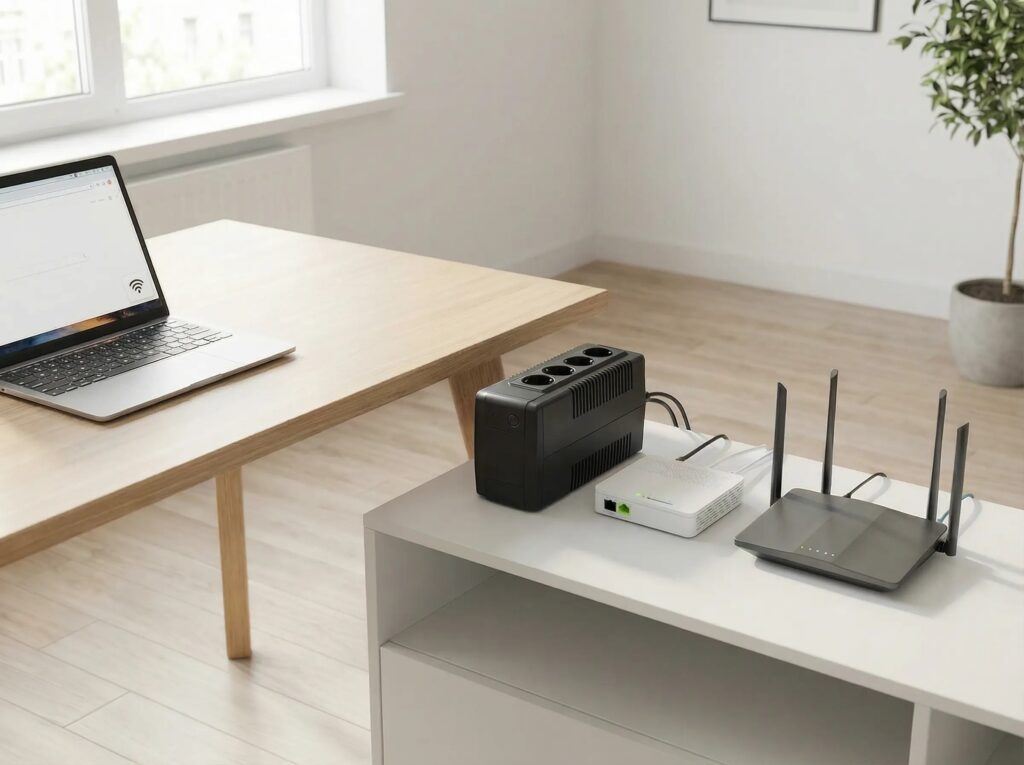
For most apartments, the simplest and most reliable way to keep Wi-Fi running during power outages is to use a small uninterruptible power supply (UPS) dedicated exclusively to networking equipment. This approach works because routers, modems, and fiber ONT units consume very little power and do not require complex backup systems.
A small UPS is designed to provide instant, uninterrupted electricity the moment grid power fails. When connected only to the router and modem or ONT, it can keep the internet running seamlessly during short outages without any user intervention. There is no startup delay, no switching process, and no configuration beyond plugging in the correct devices.
This solution is especially well suited for apartments because it is compact, silent, and energy-efficient. By limiting the UPS to Wi-Fi equipment only, you maximize runtime, reduce stress on the battery, and avoid the common mistake of overloading backup power with unnecessary devices. For short and frequent outages, a small UPS often delivers the best balance of simplicity, reliability, and cost.
How a UPS keeps your internet alive during short outages
A UPS keeps your internet running during short power outages by supplying immediate backup electricity to your router and modem the moment grid power is lost. This transition happens automatically and instantly, so your networking equipment does not reboot or disconnect, and your Wi-Fi connection remains active without interruption.
Because routers and modems draw very little power, a small UPS can sustain them for a surprisingly long time. During brief outages lasting from a few minutes to one or two hours, the UPS provides steady, clean power that allows your devices to continue communicating with your internet service provider as if nothing happened.
The key advantage of a UPS in this scenario is continuity. There is no manual switching, no delay, and no need to monitor the system during the outage. For apartments that experience short and unpredictable blackouts, a dedicated UPS ensures that Wi-Fi stays online seamlessly, making it one of the most dependable solutions for maintaining internet access.
Typical runtime for routers and modems
Routers and modems consume very little power compared to most household devices, which allows them to run for extended periods on relatively small backup batteries. In typical apartment setups, these devices draw only a modest, continuous load, making them ideal candidates for UPS-based backup.
With a small UPS dedicated to Wi-Fi equipment, it is common to achieve several hours of runtime during a power outage. Short outages of one to two hours are usually covered easily, while longer runtimes depend on the UPS battery capacity, the age of the battery, and whether additional devices such as a fiber ONT are connected.
Actual runtime can vary, but the principle remains consistent: the fewer devices connected to the UPS, the longer your internet stays online. This is why limiting backup power strictly to the router and modem delivers the most efficient and predictable results for apartment-based Wi-Fi continuity.
When a UPS alone is enough (and when it isn’t)
A small UPS is enough when power outages are short, infrequent, and predictable. In many apartments, outages last from a few minutes to one or two hours, which falls well within the runtime capabilities of a dedicated UPS powering only a router, modem, or fiber ONT. In these situations, a UPS provides seamless continuity with minimal cost, no noise, and no manual intervention.
However, a UPS reaches its limits during longer or repeated outages. Once the battery is depleted, the internet shuts down completely, and the UPS must be recharged before it can be used again. Apartments that experience outages lasting several hours, rolling blackouts, or back-to-back power cuts often outgrow what a small UPS can reliably provide.
A UPS is also insufficient when internet access is mission-critical, such as for remote work with fixed schedules, live meetings, or online services that cannot tolerate downtime. In these cases, a UPS alone may still play a role, but it usually needs to be paired with a longer-runtime backup solution. Understanding these limits helps prevent overreliance on a tool that is excellent for short outages, but not designed for extended ones.
Using a Portable Power Station to Run Wi-Fi Longer
When power outages last longer than a typical UPS can support, a portable power station becomes a more practical solution for keeping Wi-Fi running in an apartment. Unlike small UPS units, power stations are designed with larger batteries that can sustain low-power devices for many hours without interruption.
For networking equipment such as routers, modems, and fiber ONT units, a portable power station operates well below its capacity. This low load allows it to deliver extended runtime while maintaining stable power output. In apartment settings, this means Wi-Fi can remain online throughout long outages without needing constant monitoring or frequent recharging.
Another advantage of portable power stations is flexibility. They can be used solely for internet equipment during an outage, or expanded later to support additional low-power devices if needed. For residents who experience multi-hour outages or rely on continuous connectivity for remote work, a power station provides a reliable way to extend Wi-Fi uptime beyond what a UPS alone can deliver.
Why power stations outperform UPS units for longer outages
Power stations outperform UPS units during longer outages primarily because they are built for energy storage, not just short-term power continuity. While a UPS is optimized to bridge brief interruptions and allow safe shutdowns, a portable power station is designed to deliver sustained power over many hours.
The key difference lies in battery capacity. Power stations contain significantly larger batteries than typical consumer UPS units, allowing them to support low-power devices like routers and modems for extended periods. When used only for Wi-Fi equipment, this extra capacity translates directly into longer and more predictable runtime.
Another important factor is usage intent. UPS units are meant to stay plugged in and discharge quickly during outages, then recharge as soon as power returns. Power stations, on the other hand, are designed to be discharged deeply and used continuously without stressing the system. For apartments facing prolonged or recurring outages, this makes power stations a more robust and reliable solution for maintaining internet access.
Safe continuous operation for networking equipment
Networking equipment such as routers, modems, and fiber ONT units is designed to run continuously for long periods, often without being turned off. Using a portable power station to supply electricity during a power outage does not introduce additional risk, as long as the power source delivers stable and clean output.
Modern power stations provide regulated power that closely matches household electricity, making them suitable for sensitive electronics. When networking equipment is connected to a properly functioning power station, it continues operating under normal conditions, without the voltage fluctuations or abrupt restarts that can occur during unstable grid power.
From a practical standpoint, continuous operation during outages can actually be beneficial. Avoiding repeated shutdowns and restarts reduces stress on networking hardware and helps maintain consistent connectivity. As long as the power station is used within its capacity and the equipment remains properly ventilated, running Wi-Fi infrastructure continuously during an outage is both safe and reliable.
Combining power stations with existing UPS systems
In apartment setups where internet uptime is critical, combining a portable power station with an existing UPS can create a layered and highly reliable backup solution. Each device serves a different purpose, and together they cover both short interruptions and extended outages.
The UPS handles instant power continuity. When grid power fails, it prevents the router and modem from shutting down or rebooting, keeping the Wi-Fi connection stable during the initial outage. The power station then takes over as the long-duration energy source, supplying power for hours once the UPS battery would normally be exhausted.
This combination works best when the power station feeds the UPS, rather than connecting networking equipment directly to both devices. In this setup, the UPS continues to provide clean, uninterrupted output to the router and modem, while the power station acts as a large external battery. For apartments facing long outages or requiring uninterrupted remote work connectivity, this layered approach offers both stability and extended runtime without overcomplicating the system.
Best Wi-Fi Backup Setups for Apartments (By Scenario)
The most effective Wi-Fi backup setup depends on how long outages typically last and how critical internet access is in your apartment. Rather than using a single solution for every situation, matching the setup to the scenario delivers better reliability with less cost and complexity.
For short outages, a small UPS dedicated to the router and modem or ONT is usually sufficient. This setup provides instant power continuity, prevents reboots, and keeps Wi-Fi online during brief blackouts without any user intervention. It is ideal for apartments where outages are occasional and measured in minutes or one to two hours.
For medium-length outages, a portable power station becomes the more reliable option. When used exclusively for networking equipment, it can sustain Wi-Fi for many hours. This setup works well in buildings with recurring multi-hour outages or in areas where power restoration times are unpredictable.
For remote work apartments or uptime-critical use, a combined setup offers the highest level of reliability. A UPS maintains seamless operation during the initial power loss, while a portable power station supplies extended energy once the outage continues. This layered approach ensures stability, long runtime, and minimal disruption, making it suitable for professional environments where internet access cannot be compromised.
Choosing the right scenario-based setup allows apartment residents to keep Wi-Fi running efficiently without overengineering or unnecessary expense.
Short outages (1–2 hours)
For power outages lasting one to two hours, a small dedicated UPS is usually all that is required to keep Wi-Fi running in an apartment. Because routers, modems, and fiber ONT units consume very little power, a properly sized UPS can maintain connectivity throughout the outage without interruption.
In this scenario, the UPS should power only the essential networking equipment. Limiting the load maximizes runtime and ensures that the router and modem do not reboot when grid power drops. Once electricity is restored, the UPS automatically recharges, making the setup ready for the next outage without any manual action.
This approach is ideal for apartments where outages are brief, infrequent, and unpredictable. It offers the highest simplicity-to-reliability ratio, requires minimal space, and delivers seamless internet continuity during short blackouts.
Medium outages (4–8 hours)
For outages lasting four to eight hours, a small UPS alone is often not sufficient to keep Wi-Fi running reliably. In this scenario, a portable power station becomes the more appropriate solution, as it provides the battery capacity needed to sustain networking equipment for extended periods.
When used exclusively for a router, modem, and fiber ONT, a power station operates at a very low load. This allows it to deliver several hours of continuous internet access without stressing the system or requiring frequent monitoring. The setup remains quiet, compact, and well suited to apartment environments.
For added stability, some apartments may still use a UPS in front of the networking equipment, with the power station supplying energy behind it. This combination maintains seamless operation while extending runtime. For residents facing medium-length outages, this approach offers a practical balance between reliability and simplicity.
Remote work apartments with critical uptime needs
In apartments where internet access is essential for remote work, even brief outages can cause serious disruption. Video calls, cloud-based tools, and real-time collaboration all depend on continuous connectivity, making a more resilient backup setup necessary.
In remote work apartments, keeping Wi-Fi online is only part of the equation. A reliable internet connection depends on how the entire workspace is supported during outages, which is why a dedicated backup power setup for remote work apartments becomes essential for long interruptions.
For these environments, the most reliable approach is a layered system. A small UPS ensures immediate power continuity so the router and modem never reboot when the outage begins. Behind it, a portable power station provides the extended energy required to keep Wi-Fi running for many hours. This combination protects against both sudden power loss and prolonged outages.
This setup prioritizes stability, predictability, and peace of mind. It allows remote workers to remain online without interruption, even during long or recurring blackouts, while still remaining practical and appropriate for apartment living.
Common Mistakes That Kill Internet During Blackouts
Many Wi-Fi failures during power outages are not caused by the outage itself, but by avoidable setup mistakes. These errors often lead to unnecessary downtime, even when backup power is available.
One common mistake is plugging too many devices into the backup power source. When lights, monitors, or other appliances share the same UPS or power station as the router and modem, battery runtime drops dramatically. This often results in the networking equipment shutting down much sooner than expected.
Another frequent issue is backing up only the router and forgetting the modem or fiber ONT. Wi-Fi may appear active, but without a powered modem or ONT, there is no internet connection behind it. Both components must stay powered for connectivity to continue.
Finally, many people rely on backup power that requires manual switching. During an outage, even a short delay can cause the router or modem to reboot, interrupting the connection. Once the link drops, some equipment may take several minutes to reconnect, even after power is restored.
Avoiding these mistakes — by isolating networking equipment, backing up all required components, and ensuring seamless power continuity — is essential for keeping Wi-Fi reliably online during blackouts.
Plugging everything into one device incorrectly
One of the fastest ways to lose internet during a blackout is connecting too many devices to a single UPS or power station. When networking equipment shares backup power with monitors, chargers, lamps, or other electronics, the battery drains far more quickly than expected.
Routers, modems, and fiber ONT units require very little power, but other household devices do not. Even small additional loads can cut runtime dramatically, causing the backup system to shut down long before the outage ends. When that happens, Wi-Fi fails despite having a backup solution in place.
For reliable connectivity, backup power should be reserved exclusively for networking equipment. Separating essential devices from non-essential ones ensures predictable runtime and prevents unnecessary shutdowns during power outages.
Ignoring surge protection and restart behavior
Power outages are often accompanied by voltage fluctuations when electricity cuts out or returns. Ignoring surge protection during these moments can expose networking equipment to sudden spikes that cause resets, instability, or long reconnection times.
Another overlooked issue is restart behavior. Some routers and modems do not reconnect instantly after losing power. Even a brief shutdown can trigger firmware checks, delayed handshakes with the ISP, or configuration reloads that take several minutes. During this time, Wi-Fi may appear active but remain unusable.
Using a backup setup that provides continuous, clean power prevents these problems. By avoiding sudden shutdowns and uncontrolled restarts, surge-protected and uninterrupted power helps networking equipment stay stable and online throughout the outage and during power restoration.
Overestimating power needs and buying the wrong solution
A common mistake when preparing for power outages is assuming that keeping Wi-Fi running requires large, expensive backup systems. This often leads people to purchase oversized solutions that are unnecessary for apartment-based internet setups.
In reality, routers, modems, and fiber ONT units consume very little power. Overestimating their requirements can result in buying equipment designed to run appliances or entire rooms, which adds cost, takes up space, and complicates the setup without improving reliability.
At the same time, some users choose the wrong type of solution for their situation. A large system used incorrectly can still fail if it does not provide seamless power continuity or if it is overloaded. Matching the backup solution to the actual power needs and outage duration is far more effective than simply choosing the biggest option available.
How This Fits Into a Full Apartment Backup Power Strategy
Keeping Wi-Fi running during power outages is one part of a broader apartment backup power plan, not a standalone solution. Internet connectivity is often the highest-priority requirement, but it should be integrated logically with other power needs rather than treated in isolation.
By focusing first on low-power, high-impact devices like routers, modems, and ONT units, Wi-Fi backup becomes the foundation of the overall strategy. From there, additional layers — such as powering a laptop, phone charging, or limited lighting — can be added gradually based on outage duration and personal needs.
This modular approach avoids overengineering while maintaining flexibility. It allows apartment residents to scale their backup system over time, starting with reliable internet access and expanding only when necessary, all without compromising stability or efficiency.
Linking Wi-Fi backup to remote work setups
For remote work apartments, Wi-Fi backup is not a convenience feature — it is a core productivity requirement. Video meetings, cloud-based tools, VPN connections, and real-time collaboration all depend on uninterrupted internet access. Even a brief disconnect can interrupt workflows, drop calls, or cause data synchronization issues.
This is why Wi-Fi backup should be treated as the first layer of any remote work power setup. Before considering screens, lighting, or other equipment, the networking infrastructure must remain stable. A powered laptop is useless for remote work if the router or modem shuts down during an outage.
When Wi-Fi backup is properly integrated, it allows remote workers to remain online while relying on their device batteries for everything else. This separation keeps the setup efficient, reduces power consumption, and ensures that internet continuity supports professional reliability — even when the grid is unavailable.
Where UPS vs power stations really make sense
UPS units and portable power stations serve different roles, and understanding where each one makes sense prevents both under- and over-engineering a Wi-Fi backup setup. The decision is less about brand or size and more about outage patterns and continuity requirements.
The difference between short-term continuity and long-duration backup often comes down to choosing the right tool, which is why understanding UPS vs portable power stations for apartments matters when planning reliable internet access during outages.
A UPS makes sense when the primary goal is seamless continuity during short or unpredictable outages. It excels at preventing reboots, maintaining stable connections, and handling brief power losses without any user action. In apartments with occasional short blackouts, a UPS delivers the highest reliability with the least complexity.
A portable power station makes sense when outages are longer or more frequent. It is built to supply energy over time rather than just bridge interruptions. For apartments experiencing multi-hour outages or for remote work environments that cannot afford downtime, a power station provides the runtime a UPS alone cannot.
In practice, the most robust setups often use both: a UPS for instant continuity and a power station for extended endurance. Choosing the right tool — or combination — ensures Wi-Fi remains reliable without unnecessary cost or excess capacity.
Preparing for scalability without overpaying
An effective apartment backup power strategy should allow room to grow without forcing unnecessary upfront spending. The key is to start with the smallest setup that reliably covers your most critical need — internet connectivity — and expand only when real limitations appear.
By isolating Wi-Fi equipment on a dedicated backup solution, you establish a stable foundation that can support future upgrades. If outages become longer or additional devices need power, capacity can be added incrementally by introducing a portable power station or upgrading battery size, rather than replacing the entire system.
This approach avoids the common trap of buying oversized equipment “just in case.” Scalability works best when it is intentional, modular, and driven by actual usage patterns. Building in stages keeps costs under control while ensuring the backup system evolves naturally with changing needs.
Final Thoughts: Keeping Wi-Fi Online Without Overengineering
Keeping Wi-Fi running during power outages in an apartment does not require complex systems or excessive spending. In most cases, the problem is narrow and well defined: a small number of low-power devices must stay on to maintain connectivity.
By understanding which components truly matter, matching the backup solution to outage duration, and avoiding unnecessary loads, reliable internet access becomes straightforward and predictable. Simple setups often perform better than oversized ones, especially in limited apartment spaces.
For apartments where outages last longer or occur frequently, extending Wi-Fi uptime often comes down to choosing a solution designed for sustained operation, which is why many residents explore best portable power stations for apartments as part of a reliable backup strategy.
The most effective approach is practical and modular. Start with what is essential, build for real-world conditions, and expand only when needed. With the right strategy, Wi-Fi can remain online during outages without overengineering — and without compromising reliability.