
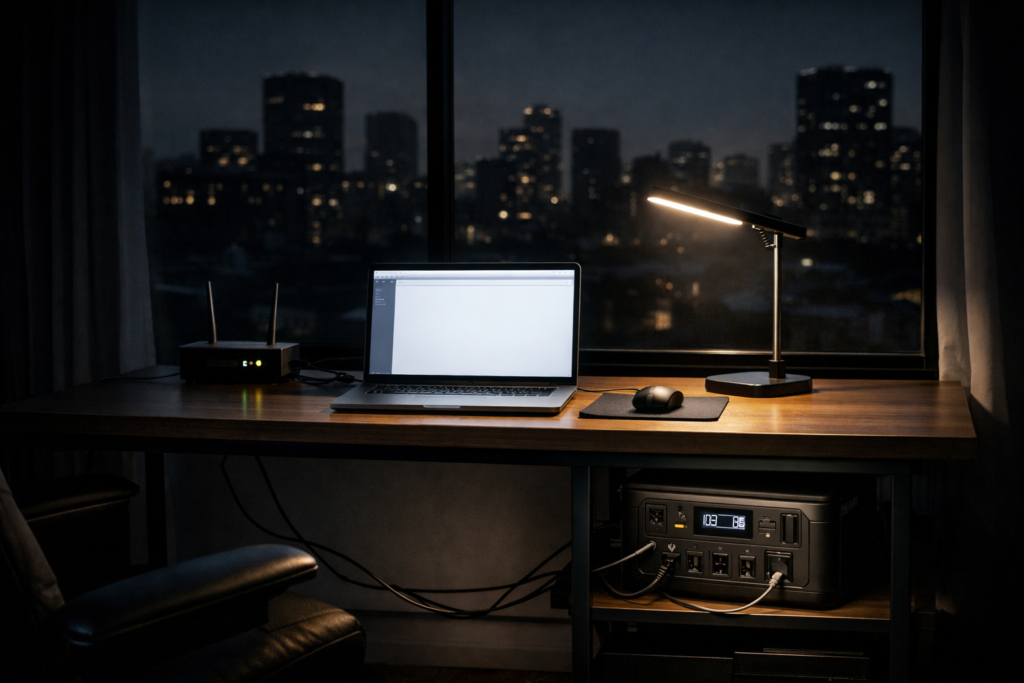
Remote work has made reliable electricity a necessity—especially in apartments where building rules, noise limits, and indoor safety restrictions eliminate most traditional backup options. A power outage can disconnect Wi-Fi, drop video calls, and shut down laptops within minutes—turning a normal workday into a missed deadline.
This buyer-focused guide shows the best backup power setups that actually work for remote workers in apartments. You’ll learn what devices to protect first, which combination delivers instant protection plus extended runtime, and how to size your system so you don’t overspend or buy the wrong capacity.
What Remote Work Apartments Really Need During Power Outages
Remote work during a blackout depends on a small group of “critical loads.” In most apartments, maintaining internet connectivity and a powered workstation matters more than running multiple appliances. Your goal is not to power the whole apartment—it’s to keep work online and uninterrupted.
Critical priorities for remote work outages:
Wi-Fi router + modem (or gateway)
Laptop (and monitor if needed)
Phone + hotspot as backup
A single LED lamp for visibility
Optional: small fan (heat waves) or medical device
The 3 Backup Power Options (And What Each One Actually Does)
Apartment remote-work backup power falls into three categories. They are not interchangeable—each one solves a different problem.
UPS (Uninterruptible Power Supply): Instant Protection, Short Runtime
A UPS is built for one job: zero-interruption power the moment the grid drops. It prevents your router or desktop from rebooting and keeps you online long enough to ride out a short outage or switch to a bigger power source.
The trade-off is capacity: most UPS units provide minutes (sometimes up to 1–2 hours for small loads), not all-day power.
Portable Power Station: Long Runtime, No Instant Switchover
A portable power station is your extended runtime battery. It can run a laptop, router, lights, and sometimes a fridge for limited periods depending on watt-hours (Wh). It’s quiet, indoor-safe, and ideal for apartments.
But it usually does not switch instantly like a UPS. If power cuts, your router may still reboot unless it’s on a UPS.
Hybrid Setup (UPS + Power Station): Best of Both
For remote work, the hybrid setup solves both problems:
- UPS = keeps Wi-Fi stable instantly
- Power station = keeps everything running for hours
This is the most reliable professional setup for apartment work-from-home backup.
Best Backup Power Setup for Remote Work Apartments (Ranked)
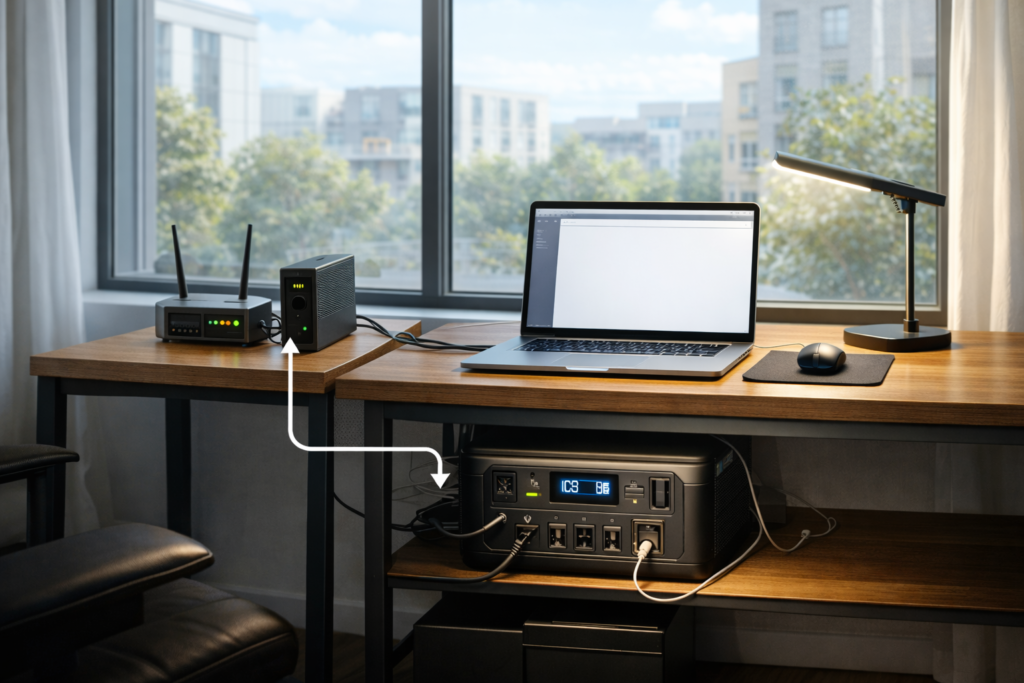
Below are the most practical backup power setups for remote work apartments, ranked by reliability, safety, and real-world usability during power outages.
For extended outages and reliable runtime, portable power stations are often the most practical choice for apartment-based remote workers. A detailed comparison of the best portable power stations for apartments helps identify models that balance capacity, safety, and quiet operation.
Setup #1: UPS + Portable Power Station (Best Overall)
This is the best option if you rely on video calls, deadlines, and uninterrupted connectivity. The UPS carries your router/modem and (if needed) desktop PC for instant protection. The power station supplies sustained electricity once the outage continues.
How to wire it (simple):
- Plug router + modem into UPS (battery outlets)
- Plug UPS into wall normally (it stays charged)
- When outage happens:
- UPS keeps internet alive instantly
- Power station powers laptop/monitor/lighting (or you can recharge the UPS from the power station if outage extends)
Why it works: You avoid the “Wi-Fi reboot” problem AND you get real runtime.
Setup #2: Portable Power Station Only (Best for Longer Outages, Less Critical Calls)
If your work is flexible and you can tolerate a brief router reboot, a power station alone can be enough. It’s also simpler: one device, one battery strategy.
Best for: writing, design work, asynchronous tasks, short meetings you can rejoin quickly.
Risk: internet may drop for a minute when power cuts.
Setup #3: UPS Only (Best for Short Outages)
If your outages are usually short (minutes), a UPS may be sufficient. It protects your router and prevents interruptions, but it is not built for multi-hour blackouts.
Best for: cities with brief interruptions, not long outages.
How to Size Your Backup Power Correctly (So You Don’t Waste Money)
Most people overspend because they shop by “maximum watts” instead of real runtime.
Step 1: List Your Critical Devices
For most remote work apartments:
- Router + modem: low power, but critical
- Laptop: moderate power
- Light: minimal
- Monitor: optional
Step 2: Think in Runtime (Hours), Not Just Watts
Ask one question:
How many hours do you need to stay online?
- 1–2 hours: smaller system can work
- 4–8 hours: mid-range setup
- 8–12+ hours: larger capacity or solar charging becomes relevant
Before choosing capacity, it’s important to understand how power consumption actually works in apartment outages. This guide explains how much power an apartment really needs during a blackout, helping you choose the right capacity without overspending.
Step 3: Choose Capacity Based on Real Use
Apartment remote work setups typically land in:
- 500–1000Wh: laptop + router + light for several hours
- 1000–2000Wh: longer workday coverage, heavier loads, better comfort
Apartment Rules & Safety (Non-Negotiable)
Remote work backup power must be apartment-safe. That means:
- No fuel generators indoors or on balconies
- Battery solutions only for indoor use
- Avoid overloaded extension cords
- Keep battery stations ventilated and away from heat sources
Battery-based systems meet apartment safety and noise rules. Fuel systems do not—even “quiet” models still produce exhaust gases and are unsafe in enclosed spaces.
Common Mistakes Remote Workers Make (And How to Avoid Them)
Many remote workers reduce backup power effectiveness by:
- Buying a system designed for houses
- Ignoring indoor safety limitations
- Planning only for wattage instead of runtime
- Relying on one device for every scenario
Avoiding these mistakes leads to safer operation, lower cost, and better reliability—especially when outages are unpredictable.
Before purchasing any backup power equipment, it’s important to understand how emergency power planning works in real outage scenarios. According to guidance from the U.S. Department of Energy, focusing on essential loads and realistic runtime is more effective than oversizing systems for maximum wattage.
Quick Buying Checklist (Use This Before You Purchase Anything)
Before you buy, confirm:
- You can power router + laptop + lighting
- You have at least 1 charging plan during longer outages (car charging or solar optional)
- Your setup fits your storage space
- Your plan covers both:
- instant protection (UPS)
- extended runtime (power station)
Final Takeaway for Remote Work Apartments
The best backup power setup for remote work apartments is rarely “one device.” The most reliable approach is a UPS + portable power station—instant connectivity protection plus hours of runtime. If you’re still unsure how much power your apartment actually needs to stay productive during an outage, this guide explains how many watts an apartment really needs during a blackout and helps you size your setup accurately.Size your system around the devices that keep you employed: Wi-Fi, laptop power, and a minimal work environment.
If you build your setup around real apartment constraints—quiet operation, indoor safety, space limits, and runtime—you’ll stay online through outages without overspending or violating building rules.